إدارة ملفات تعريف الارتباط المستخدمة للإعلان، مثل تخصيص الإعلانات وتجديد النشاط التسويقي وتحليل أداء الإعلان.
4.3.1.5. Create new folder in mailbox in WebMail.Online
By default, each mailbox has the following folders: "Inbox", "Drafts", "Sent", "Spam", and "Trash", but the IMAP mail protocol supports the creation of any additional folders. Please note that standard folders cannot be edited in WebMail.Online.
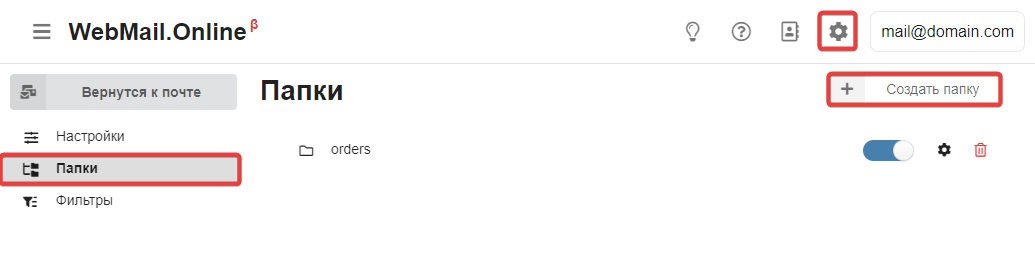
- Open WebMail.Online settings and in the "Folders" section, click "Create folder":
- Enter the folder name and set its properties:
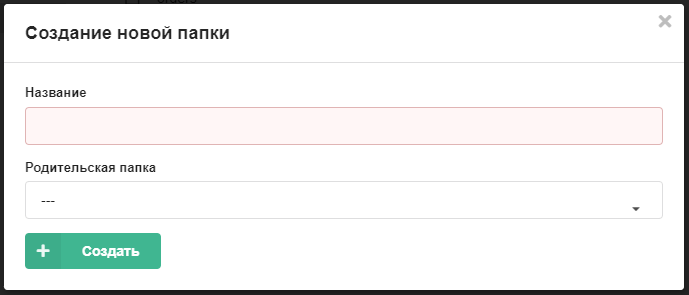
- Save the changes.