إدارة ملفات تعريف الارتباط المستخدمة للإعلان، مثل تخصيص الإعلانات وتجديد النشاط التسويقي وتحليل أداء الإعلان.
4.3.6.3. Set up Spark mail client (Android/iOS)
The instructions include screenshots taken on Android. The app configuration process on iOS is similar.
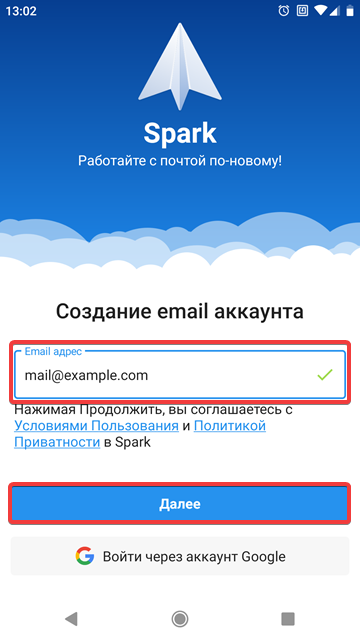
- If you are starting Spark for the first time, enter mailbox name, click "Next" and go directly to step 6:
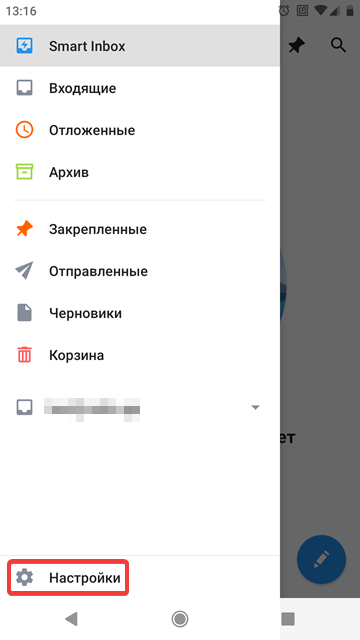
- Open the settings from the main menu:
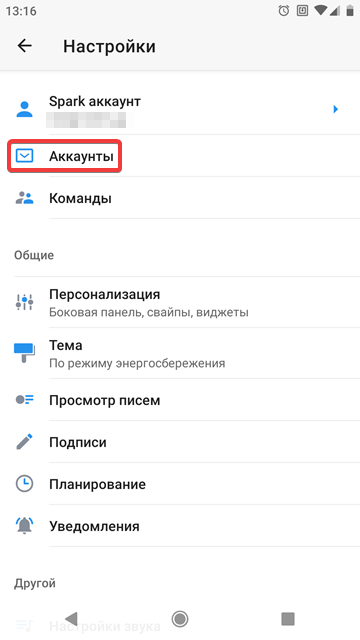
- Click "Accounts":
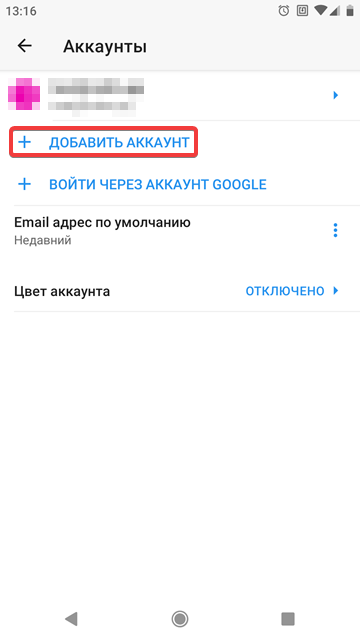
- Click "Add account":
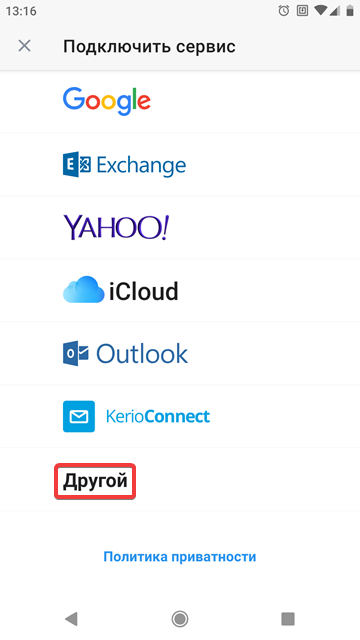
- Select mail service "Other":
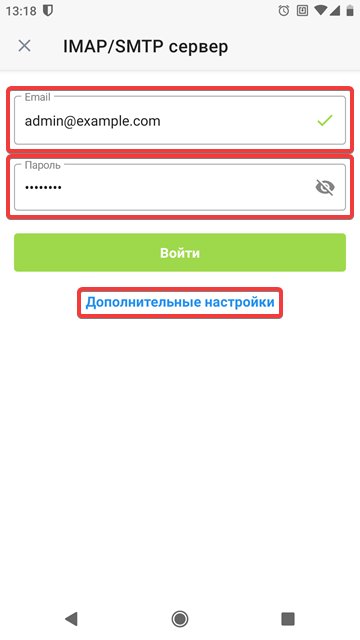
- Enter mailbox name and password and click "Additional settings":
- Specify settings and click "Log in":
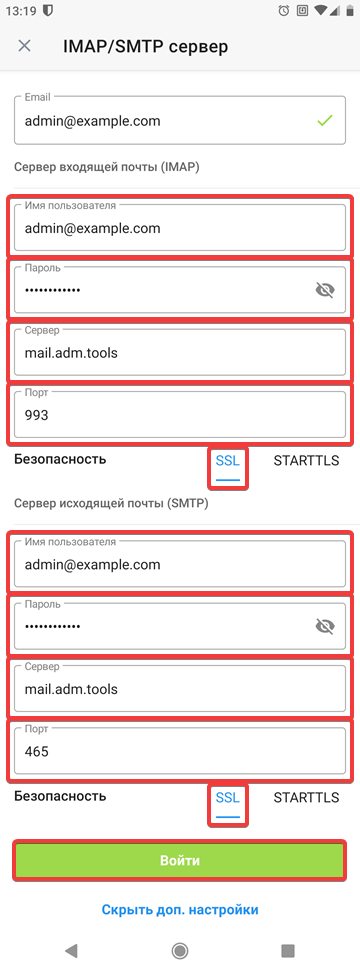
- Incoming mail server (IMAP):
- "Username" — mailbox name.
- "Password" — mailbox password.
- "Server" —
mail.adm.tools. - "Port" —
993. - "Security" — "SSL".
- Outgoing mail server (SMTP):
- "Username" — mailbox name.
- "Password" — mailbox password.
- "Server" —
mail.adm.tools. - "Port" —
465. - "SSL" — "SSL".
- Check that the connected mailbox is working properly.
(1)