إدارة ملفات تعريف الارتباط المستخدمة للإعلان، مثل تخصيص الإعلانات وتجديد النشاط التسويقي وتحليل أداء الإعلان.
4.3.9.5. Set up Vivaldi Mail client
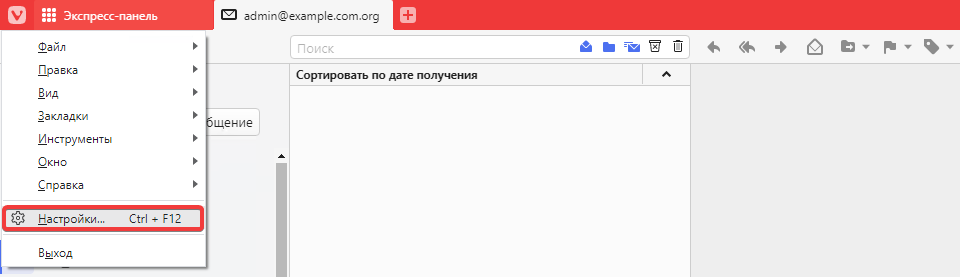
- Open the browser settings by pressing Ctrl+F12 or via the main menu:
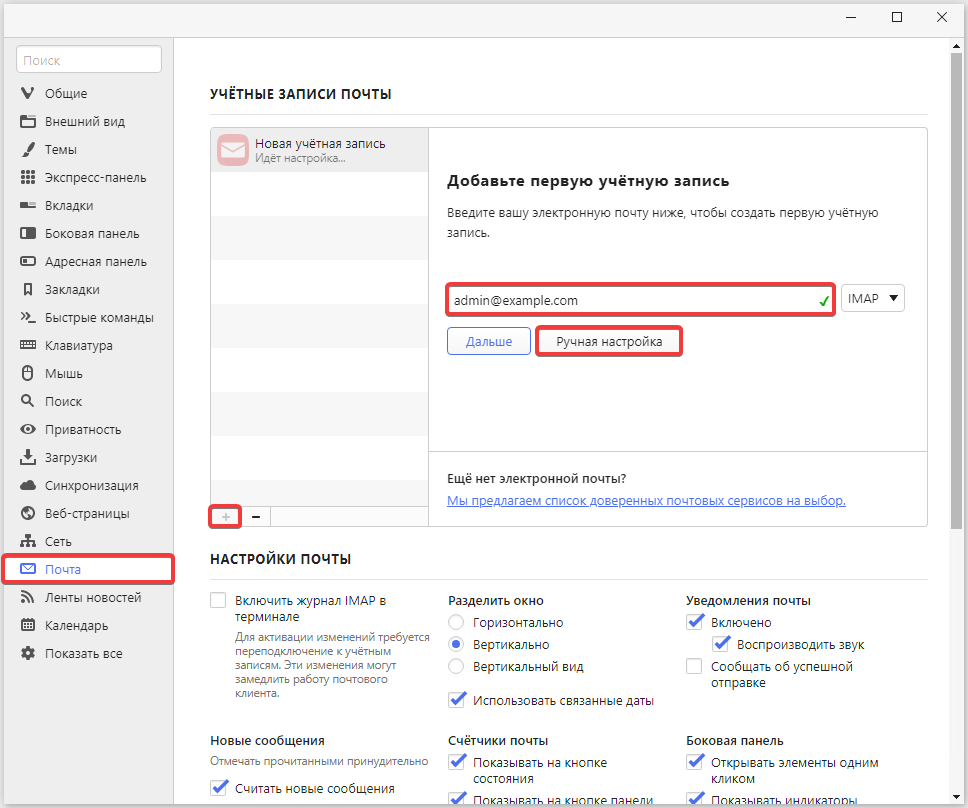
- In the "Mail" section at the bottom of the list of accounts, click ➕, enter mailbox name and click "Manual setup":
- Specify the connection settings and click "Add account":
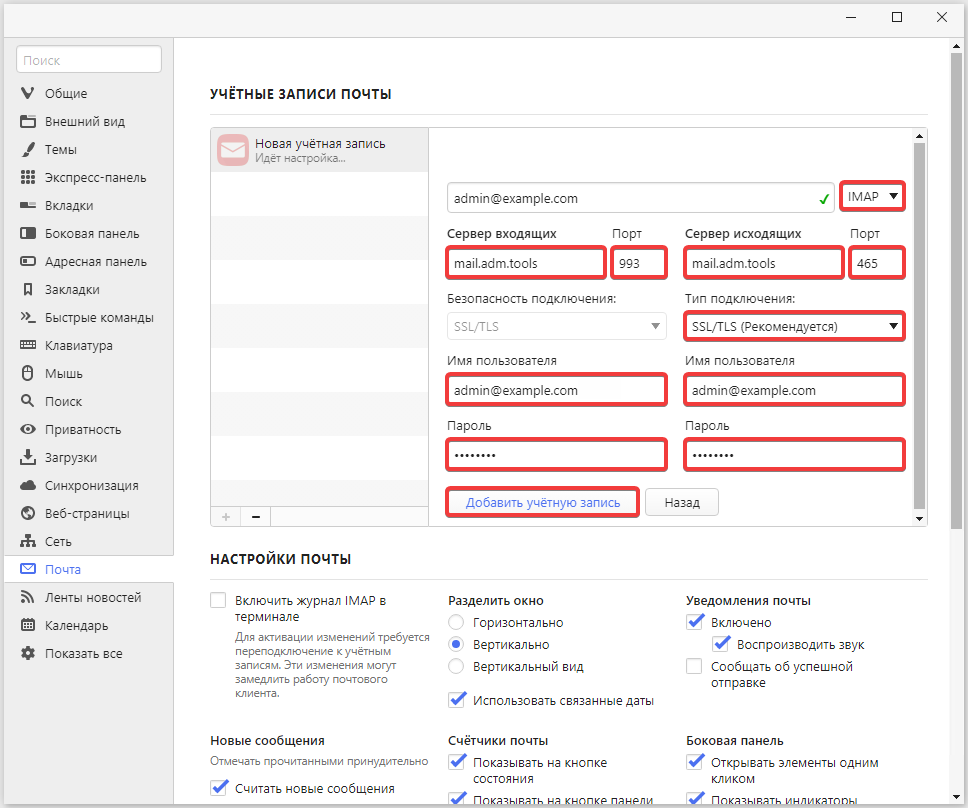
- Make sure that "IMAP" is selected.
- Incoming mail:
- "Incoming server" —
mail.adm.tools - "Port" —
993. - "Username" — mailbox name.
- "Password" — mailbox password.
- Outgoing mail:
- "Outgoing server" —
mail.adm.tools - "Port" —
465. - "Connection type" — "SSL/TLS".
- "Username" — mailbox name.
- "Password" — mailbox password.
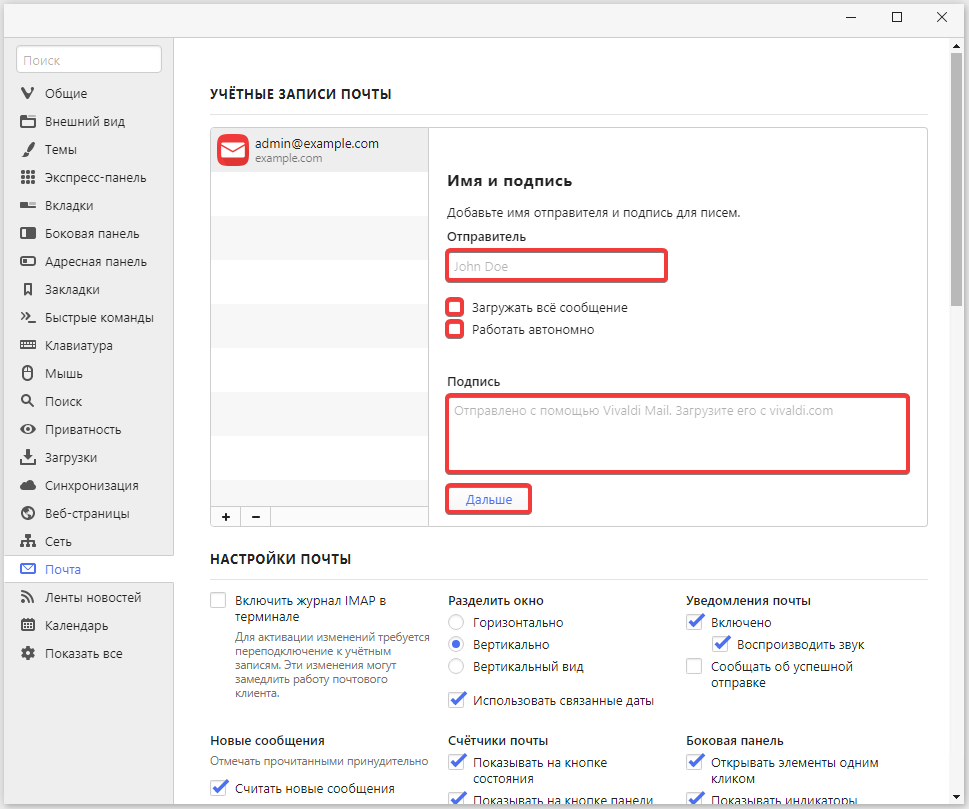
- If necessary, enter the sender's name and signature, additional settings, and click "Next":
- Check the mail operation.