إدارة ملفات تعريف الارتباط المستخدمة للإعلان، مثل تخصيص الإعلانات وتجديد النشاط التسويقي وتحليل أداء الإعلان.
2.14.1.3. Install WordPress
Automatic install
See CMS auto-install.
Manual install
Prepare
- Download an archive with the latest WordPress distribution to your PC from the official site.
- Place the distribution files on the hosting:
- Using file-manager or any FTP client, upload the archive to the root directory of the previously added site.
- Extract the downloaded archive using file manager.
- Move all contents of
wordpresssubdirectory to site root directory.
- Prepare database:
Install
- Open site in browser.
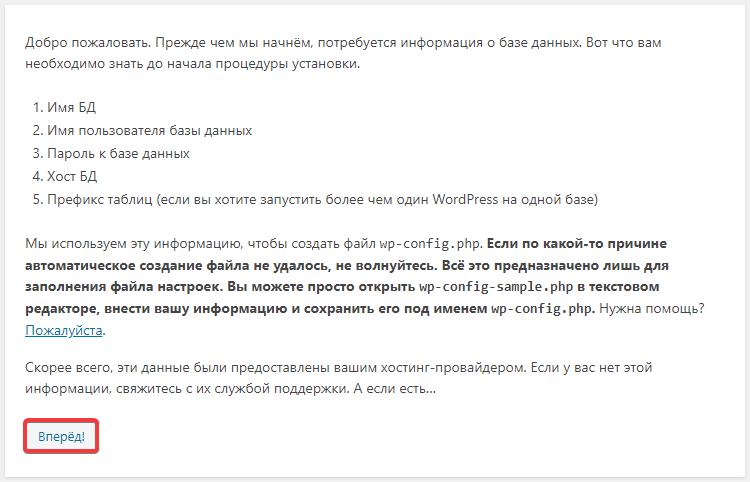
- Click "Let's go!":
- Specify database connection settings and click "Submit":
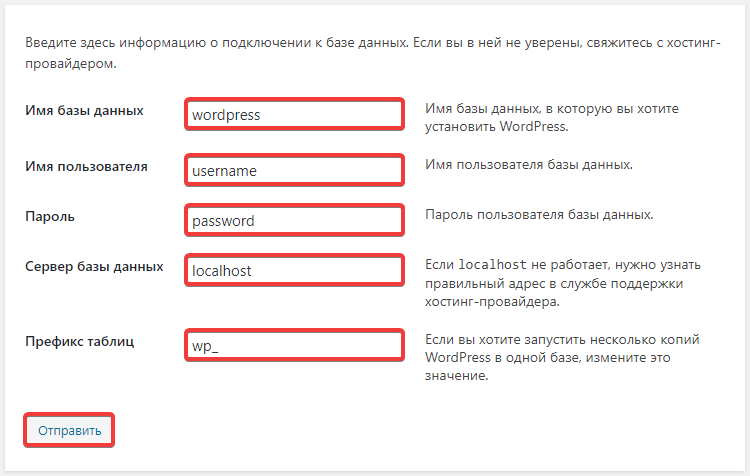
- "Database name" — database name.
- "Username" — database user login.
- "Password" — database user password.
- "Database host" — database host.
- "Table prefix" — default
wp_or any other at your discretion.
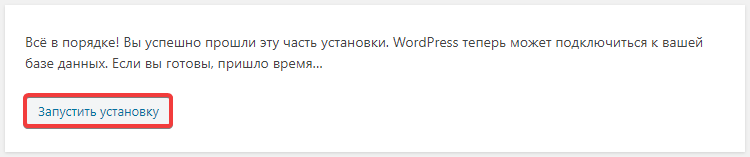
- Click "Start installation":
- Specify site name and administrator data (they will be used to access admin panel site), configure visibility for search engines and click "Install WordPress":
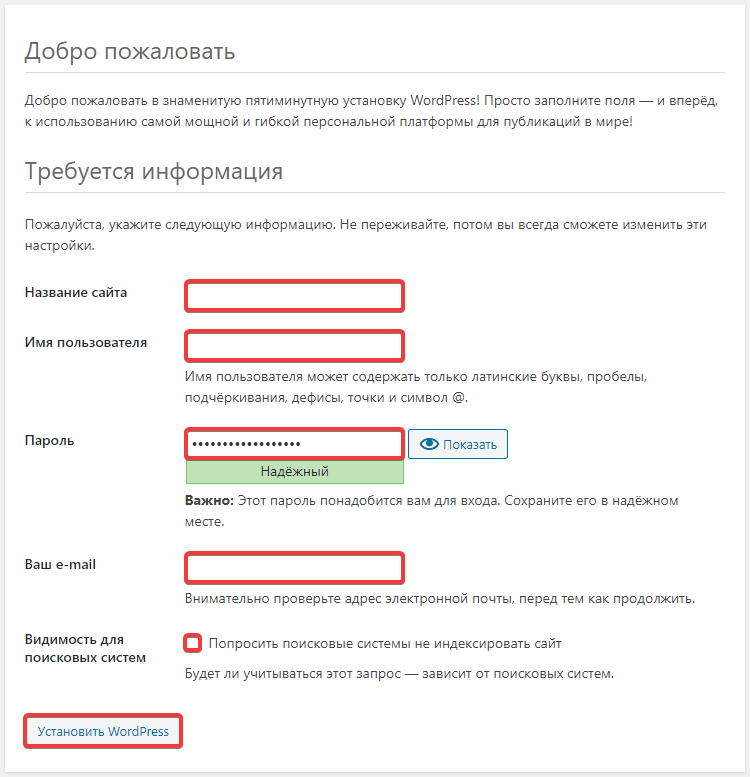
- "Site name" — arbitrary name of your site.
- "Username" — administrator login.
- "Password" — administrator password.
- "Your email" — administrator mailbox.
- "Visibility for search engines" — enable if you do not want site to be indexed by search engines.
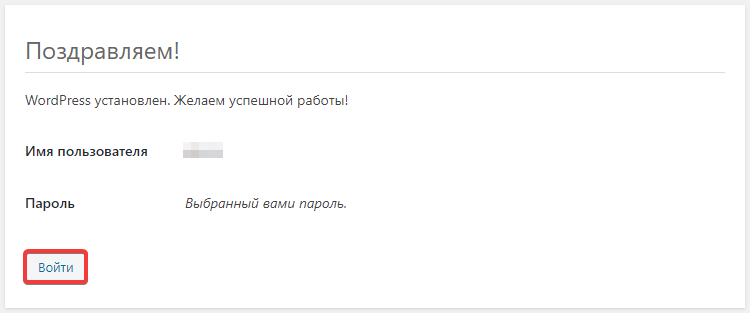
- Click "Log in":
- Check the site operation.
(1)